The right repgets the lead.
Before it goes cold.
Manual lead assignment quietly costs you deals. RouterJet routes every new lead to the right rep and reaches them on SMS, Slack, or wherever they actually look, so fast follow-up happens by design.
Start with your CRM



RouterJet is trusted to route millions of leads for companies including



Automatic Assignment That Powers Sales Teams
New leads flow seamlessly to sales reps through smart round-robin routing, helping team members maintain lightning-fast response times.
Round Robin Lead Distribution
Streamline your sales process by setting work hours for each sales team member (eg: Weekdays 9-5pm). When reps are unavailable, remove them from automatic assignment with one click. RouterJet ensures new leads are fairly distributed to available sales reps.
Round Robin Tutorial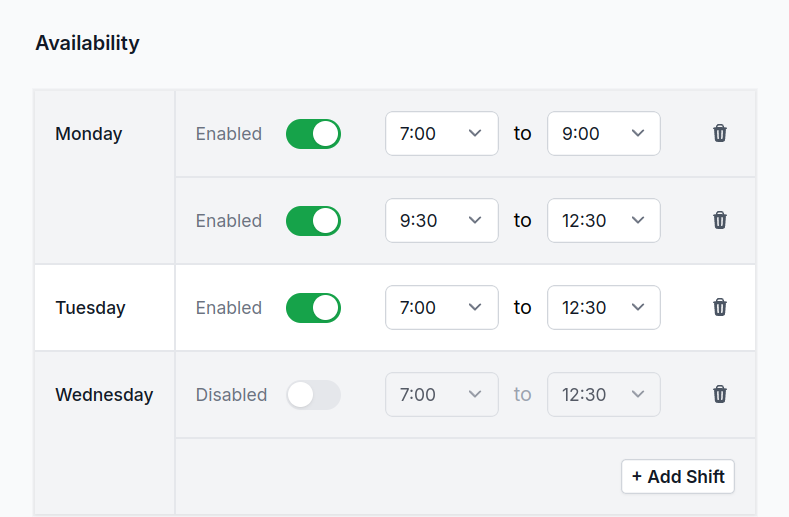
Alerts from Email, WhatsApp, SMS, Telegram or Slack
Speed up follow-ups on new leads with instant notifications. Choose the type of alert that works best for your sales team to respond to leads from anywhere, ensuring no opportunity is missed.
SMS Notification Setup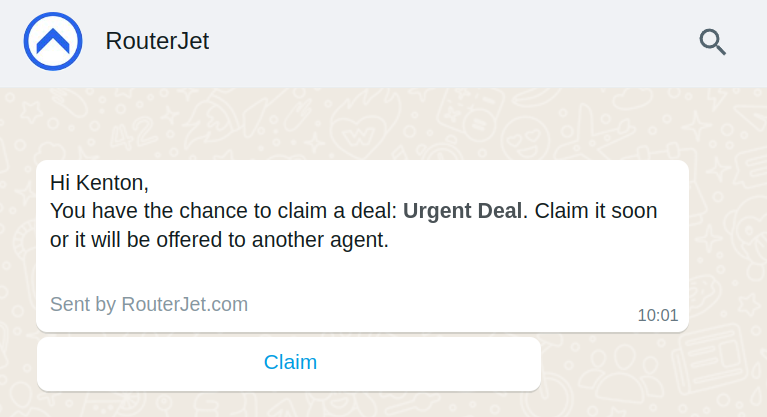
Lead Escalation & Re-distribution
Protect your sales pipeline! When sales reps don't accept new leads, our automatic assignment system escalates to available sales team members for immediate follow-up. Keep your sales process moving and ensure leads never go cold. Escalation time can be customized to fit your business needs.
Escalation Tutorial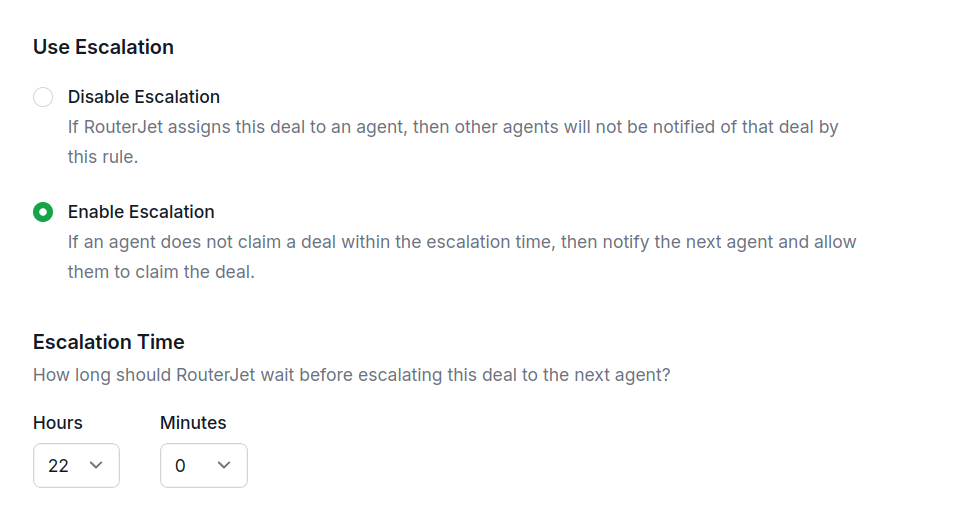
Custom Distribution Rules
Optimize your sales process by routing new leads to sales team members based on specific lead attributes (eg: location, price). For example send all leads from California to Mary + John and send leads from New York to Josh.
Custom Rules Setup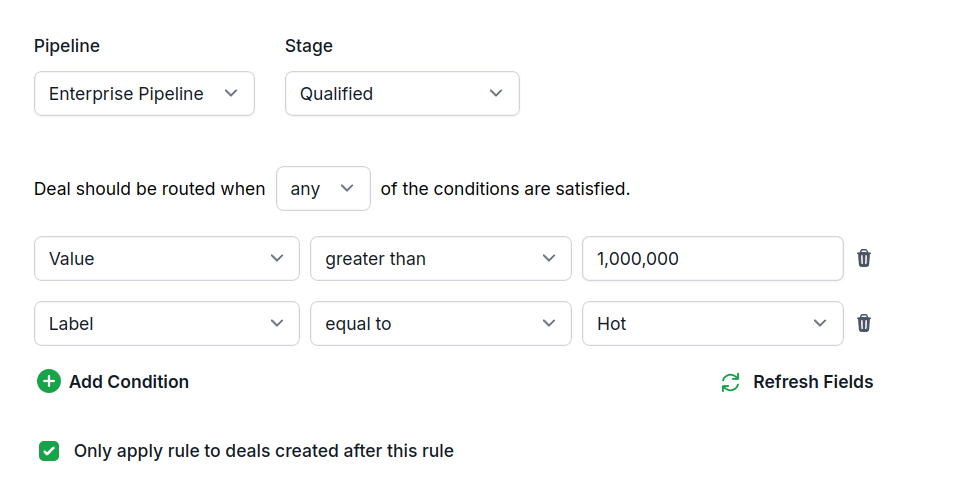
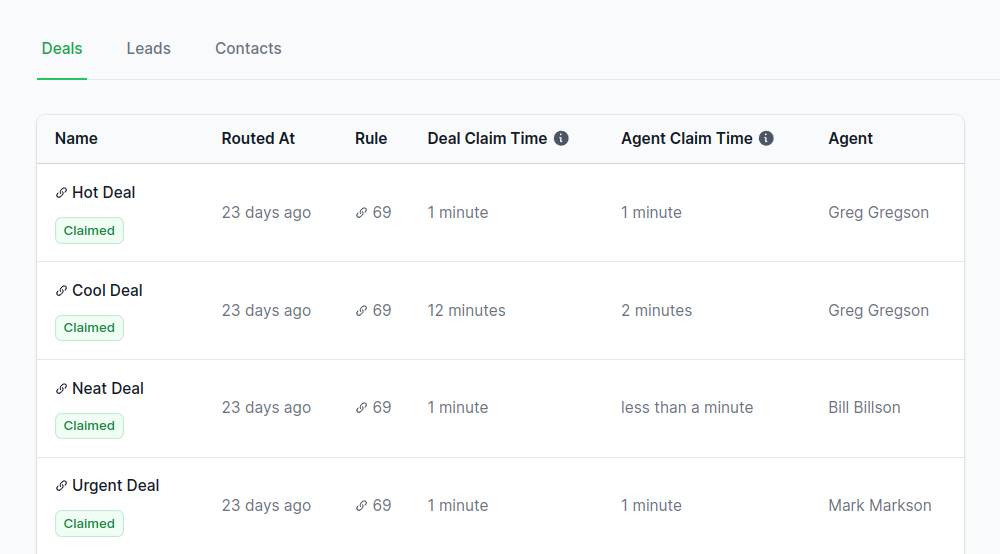
Lead Distribution Analytics
Monitor your sales process efficiency: Track follow-up response times for new leads and see how many leads come in when your sales team is offline.
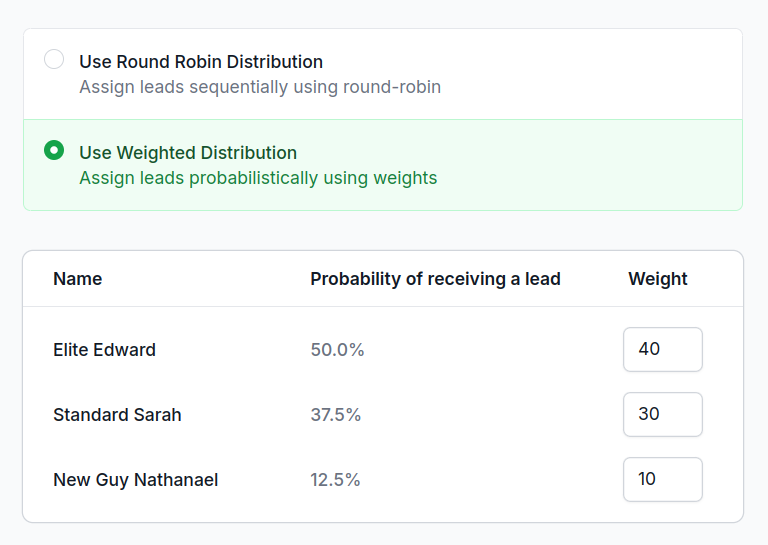
Weighted Lead Assignment
Assign a weight to each sales rep to control pipeline distribution. Higher weighted reps receive more new leads. Reward top performers with more leads or limit new leads to low performers and new employees.
“The app is smart and works great, but the difference is the customer support. Support was responsive and thorough, not just some link to an article that didn't answer my question like most support. He took the time to read what I sent and respond with a thoughtful answer. I really appreciate that type of support and am happy to pay for it. Thank you!”

“Love this app! We have lots of inbounds coming in these days and RouterJet helps us a great deal in getting the right lead to the right sales rep based on their availability and timezone! The RouterJet team is super responsive to support requests as well.”

2,325,940
leads, routed automatically.
Including the ones that came in at 3 a.m.
Your pipeline doesn't sleep.Neither does RouterJet.
Weekends, holidays, the dead of night. Every new lead in your CRM gets handed to the right rep within seconds, whether your team is at their desks or eight time zones away. By the time the prospect closes the tab, someone is already reaching out.
No credit card required. 14-day free trial. Cancel anytime.
How it Works

Simple pricing, for everyone.
We pride ourself on fair, transparent pricing. No hidden fees, no contracts, no surprises.
Starter
$10/agent each month
$30/month minimum
Get started todayRound Robin Lead Assignment
Alerts via Email, SMS, Slack or Telegram
Escalation after 30+ minutes
Agent Scheduling
Monthly Reports
Business
$20/agent each month
$60/month minimum
Get started todayAll Starter features
Alerts via WhatsApp and standard channels
Escalation after 1+ minutes
Weighted Assignment
Daily, Weekly or Monthly Reports
Unlimited Rules
Nested condition groups
Frequently asked questions
Which CRMs does RouterJet work with?
Pipedrive and Close. Pick your CRM at the top of this page to see the version built for you.
How does round robin lead distribution work?
RouterJet automatically assigns incoming leads to your sales reps in rotation. Each rep gets one lead before cycling to the next—so everyone on your team gets a fair shot. No cherry-picking, no arguments about who got the "good" leads.
What triggers RouterJet to assign a lead?
Any new lead or record that matches your rule criteria is assigned automatically. You can route based on source, value, custom fields, and more—whatever your CRM tracks.
How long does it take for leads to be assigned?
Under 10 seconds. RouterJet processes leads in real time as soon as they're created or updated in your CRM.
How does escalation work if an agent doesn't respond?
If a rep doesn't claim a lead within your set time (you can go as low as 1 minute), it automatically moves to the next available rep. No leads slip through the cracks.
Can I give some agents more leads than others?
Yes. Set custom percentages for each rep—like 60% to your veterans, 40% to new hires. Great for ramping up new team members or sending more volume to your best closers.
How do agents get notified about new leads?
Email, SMS, WhatsApp, Telegram, or Slack. Each notification includes a direct link to claim the lead and open it in your CRM. Available channels depend on your CRM and plan.
What happens to leads that come in outside business hours?
They're assigned to whoever's scheduled to work next and tagged as "Offline." Notifications are muted during off-hours so nobody gets pinged at 2 AM.
Do I need technical setup or webhooks?
No. Sign in with your CRM, create a rule, and you're live—no webhooks, no API keys, no IT department required. RouterJet handles the technical stuff.
How do I add agents to RouterJet?
Agents are imported automatically from your CRM. Activate them on the Agents page and add them to the routing rules you want them in.
Can agents have multiple shifts in one day?
Yes. Add multiple shifts with gaps—for example, 8am–10am and 6pm–8pm. Each agent's hours are stored in their own timezone.
Can I cancel anytime?
Yes. No long-term contracts, no commitments. Cancel from your billing page whenever you want.